
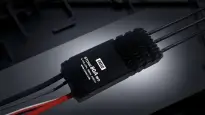
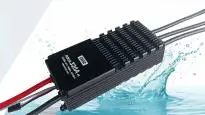
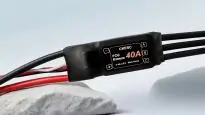

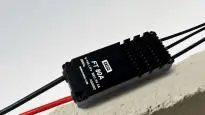
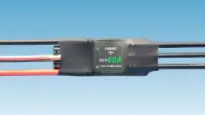


When using the CKESC Breeze FOC series ESC, if the customer needs to change the power configuration themselves, they need to download the corresponding configuration file to the ESC, which can be done on a computer via a serial module. Breeze FOC Configuration DownloaderDownload the configuration file. After placing an order in this store, you can contact customer service to send the configuration file. The specific operation process is as follows.
1. Prepare a computer.Connect the serial download module to the computer's USB portOpen the Device Manager on your computer to check if the serial port module is connected properly. If it is connected, the port and port number will be displayed as shown in the figure below (if the serial port is not plugged in, the port will not be displayed).
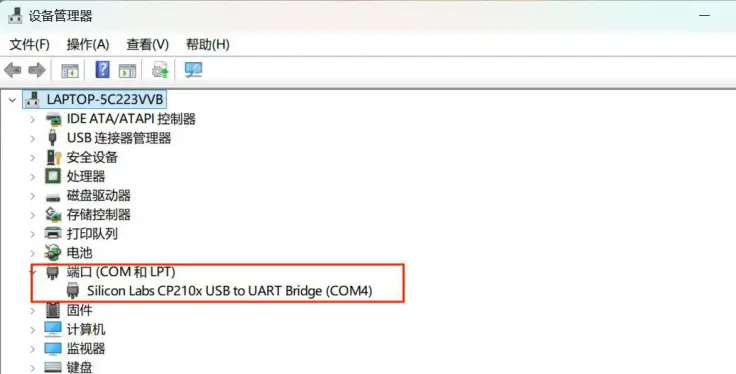
2. If the port shows a red exclamation mark after inserting the serial module, it is necessary toInstall USB to Serial DriverThe default installation location is fine. After installation, open Device Manager again and plug the serial module in and out. If the exclamation mark disappears, it means the serial connection is successful, and you can proceed with the ESC configuration file download step.

3.Unzip Breeze FOC Configuration DownloaderThe file installation package, after extraction contains BreezeCfg2.1、setup Two files,BreezeCfg2.1 That is to configure the downloader software,setup for operation BreezeCfg2.1 The required components (remember to install the components).

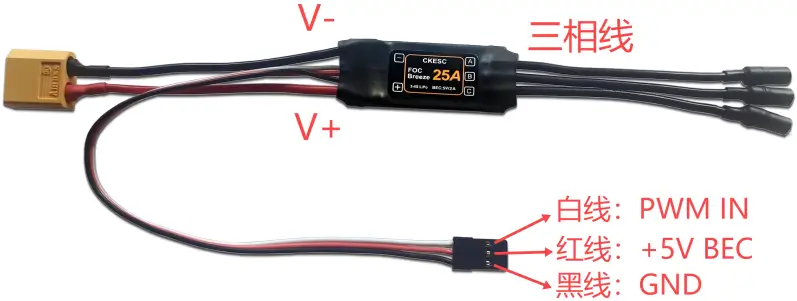
4. First, insert the USB-to-serial module, connect the ESC to the motor, and connect the ESC throttle wire (white wire PWM IN) to the serial port. TXD Pins connected, black wire (GND) to the serial port GND Pins are connected; be careful not to connect the red 5V BEC wire to the serial port.
5. Open BreezeCfg2.1 After the software,Click COM1Switch to the correct port number, this software only supportscom1-com3, if the port number displayed when the serial module is plugged into the computer's USB port is not one of the above port numbers, you need to change the port number of the USB-to-serial module before plugging in the serial module; thenClick PortOpen, highlighted indicates that the serial port is open:

6. Then connect the DC power supply (9-17V) or a 3S/4S battery correctly to the ESC input terminals V and V- (be careful not to reverse the connections to avoid damaging the ESC). Within a few seconds after powering on the ESCClick to enable configurationThe motor emits a 'beep' sound to indicate successful enabling.
7. ClickOpen the configuration file, find the saved configuration file (.cfg) to be flashed on your computer, double-click to open it, and thenClick to configure with one clickThe motor emits four 'beep' sounds, indicating that the configuration file has been successfully uploaded. Once the configuration file is uploaded, it can be used.
8.PrecautionsIf the serial module is connected to the computer USB port and only shows COM4 or other ports (while the configuration downloader software only supports COM1-COM3), and switching the port number in the configuration downloader software still shows a port error, you can change the port number using the following method:
-
Right-click on the port number column and then clickAttribute
-
Switch toPort SettingsSerial port, then click belowAdvancedOption
-
Click the COM port number below and select COM1-COM3 端口号, and then clickConfirm
-
Just unplug and replug the serial module.